
 Add to Teams
01
Live FiRE scores
Updated in real time as the meeting progresses.
Real-time behavioral analytics, meeting summaries, action points, cost tracking. All within your own Microsoft Teams tenant, and zero risk to your data.
FiRE Index
Speaking now
Meeting cost
$328
8 participants · 41 min elapsed
The Canary side panel shows everything happening in the meeting as it happens - inside your Teams window.
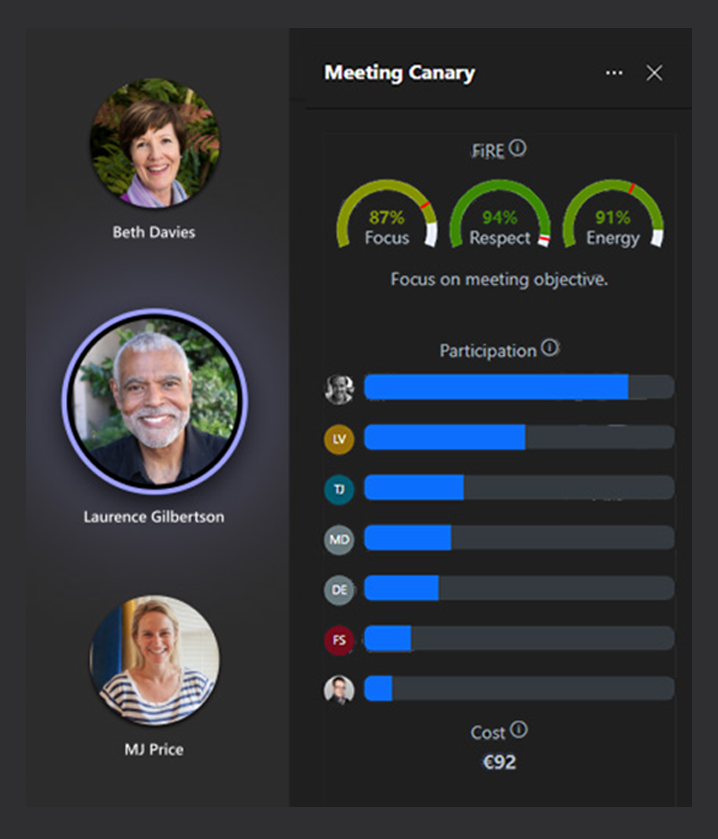
Updated in real time as the meeting progresses.
Cumulative talk‑time ring for every participant.
Running cost counter calculated from roles and configured rates.
Visualise who speaks to whom and how often.
Context‑aware coaching prompts surfaced at the right moment.
Live signals on interruptions, lateness, and monologuing.
Hands‑free queries and actions without leaving the meeting.
The FiRE Index tracks four signals that define meeting quality: Focus, Inclusivity, Respect, and Energy. You get a personal score with feedback on your speaking patterns, interruptions, and engagement.
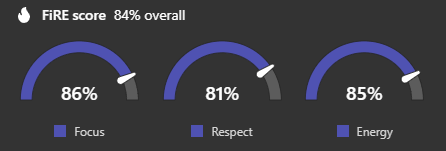
Window engagement and active foreground tracking to expose attention drift before it becomes wasted salary.
See if people are actually checked in.
Talk‑time distribution shows whether your best operators are contributing or being crowded out.
Ensure balanced participation.
Interruption and lateness patterns that quantify the culture and quality of your collaboration.
Quantify culture and collaboration.
Tone variance and pacing to surface disengagement early, before burnout spreads through the calendar.
Spot burnout early.
Unlike traditional AI note‑takers, Meeting Canary never stores transcripts or summaries. Everything is processed in memory, delivered to your tenant and deleted immediately after.
Audio and text are processed only in memory. They're never stored on our infrastructure.
Unlike traditional AI note-takers, Meeting Canary never retains a copy of what was said - compliance-safe by design.
Output is handed off to your Teams tenant, and then deleted from our infrastructure.
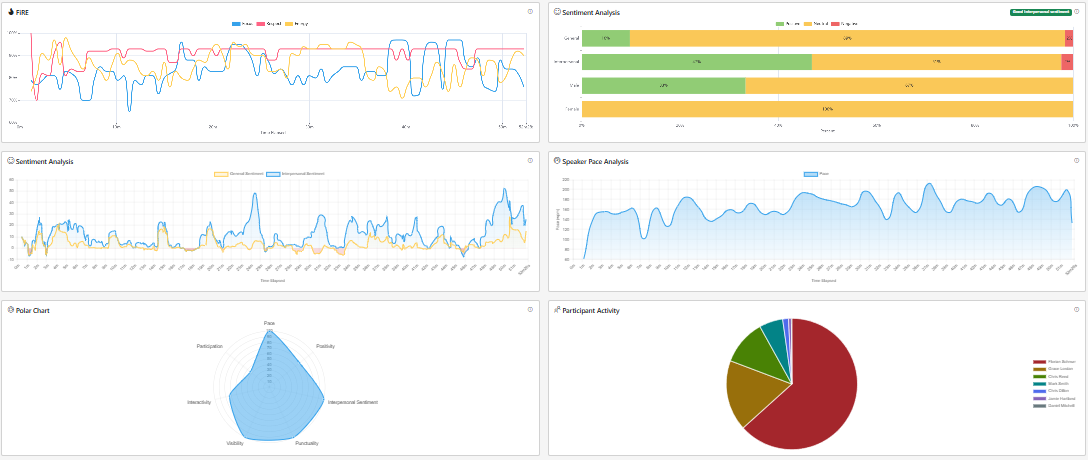
Reports include behavioural analytics, sentiment, speaking patterns, cost, and more. All delivered directly into Teams and available from the Meeting Canary dashboard.
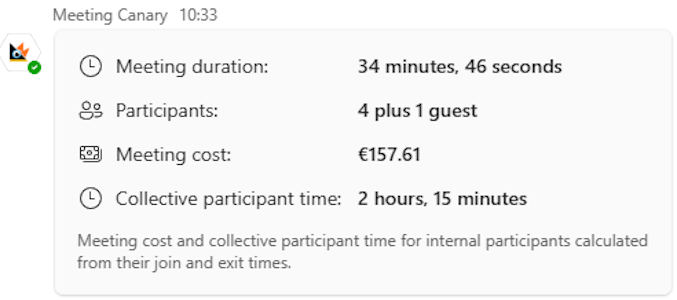
Meeting Canary calculates cost based on participants, roles, and time - configurable to your currency and organisation.
Real‑time cost counter - Ticking cost based on participant time‑in‑meeting.
Configurable hourly rates - Take control of your budget with rates configured to match your organization.
Historical cost trends - Compare meeting cost across teams and time periods.
Cost insights in post‑meeting reports - Analysis delivered automatically after every call.
Meeting Canary adapts to strict governance environments - Finance, Healthcare, Public Sector.
Route every inference through your own endpoint - Azure OpenAI, AWS Bedrock, OpenRouter or your own LLM.
Deliver summaries or raw meeting data to private endpoints, internal services, or SIEM pipelines.
Run fully self‑hosted when sovereignty and privacy requirements eliminate shared infrastructure.
Join enterprises using Meeting Canary to improve culture, accountability, and ROI... without sacrificing your privacy!